How to Check Domain Age (WHOIS): A Simple Guide to Spotting New Scam Sites
Most scam websites are built quickly, used for a few weeks or months, and then abandoned. That makes domain age, the date a website’s address was first registered, one of the most useful clues you can check. It takes less than a minute and it’s free. Here’s how to do it and how to read the result.
Why domain age matters
A real business usually keeps the same website for years. A fake store, phishing page or investment scam usually doesn’t, because once enough people report it, the scammers move to a new address. So when a site claims “trusted since 2010” but its domain was registered last month, you’ve found a contradiction worth taking seriously.
A young domain is not proof of a scam on its own. Every honest business starts with a new domain too. Treat it as a reason to check the other signs in our guide on how to check if a website is legit.
How to check domain age in 3 steps
- Copy only the domain. From a link like https://shop.example.com/sale?id=12, you need example.com.
- Open a free WHOIS lookup. ICANN Lookup is run by the organisation that coordinates domain names, so it’s a reliable place to start. You can also paste the link into the SosoVibe checker, which shows domain age in the report.
- Read the dates in the result, as explained below.
Some country domains (for example, many national endings) are not fully covered by ICANN Lookup. If you get no result, search for that country’s domain registry and use its own WHOIS tool.
How to read a WHOIS result
| Field | What it means | What to look for |
|---|---|---|
| Created / Registered on | When the domain was first registered by its current owner | Weeks or a few months ago is a warning sign for a store or investment site |
| Expires on | When the registration runs out | Registered for just one year is common on throwaway sites |
| Updated on | The last change to the record | A recent update alone means little; owners renew and change settings |
| Registrar | The company the domain was bought from | Useful for reporting abuse; not a sign of good or bad on its own |
| Registrant / owner | Who owns the domain | Often hidden by privacy services, which is normal; combined with no company details on the site, it means you can’t tell who runs it |
Watch out for the “old domain” trick
Some scammers buy expired domains that already have years of history, so the site looks established. To catch this, look the domain up on the Wayback Machine. If the saved pages show a blog, a different business or an empty page until recently, the current shop is new, whatever the domain age says.
How old is “too new”?
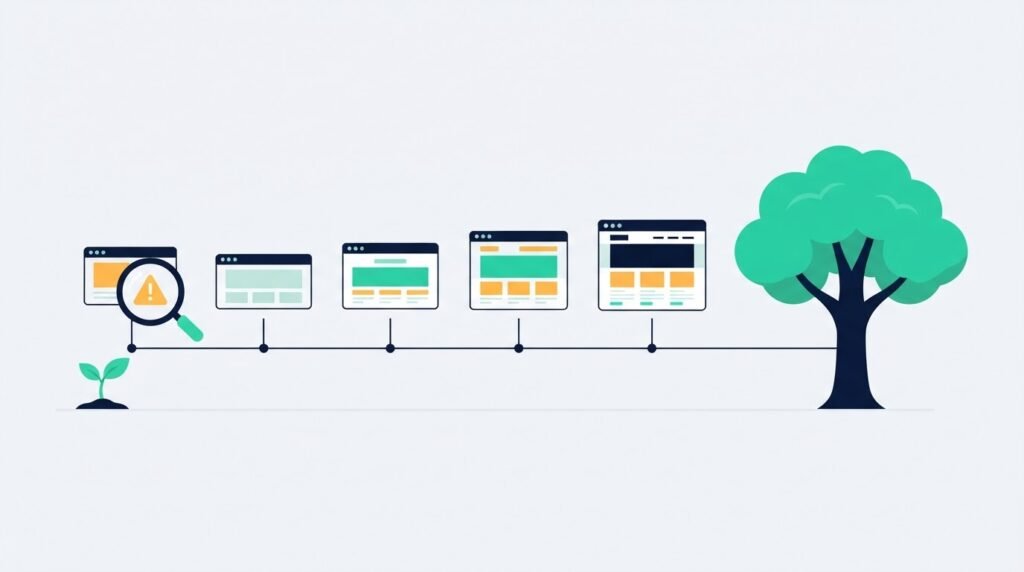
There is no exact line, but as a rule of thumb:
- Under 6 months: check very carefully, especially for stores with big discounts, investment platforms and job sites.
- 6 months to 2 years: look at the other signals: company details, reviews and payment methods.
- Several years with consistent history: a good sign, though not a guarantee on its own.
Frequently asked questions
Is a domain age checker free?
Yes. ICANN Lookup, most registrars’ WHOIS pages and the SosoVibe checker are free to use.
Why is the owner’s name hidden?
Privacy protection hides personal details from public WHOIS records and is standard for many registrars. It isn’t suspicious on its own, but it means you’ll need the website to tell you who runs it.
Can a scam website have an old domain?
Yes, if the scammers bought an expired domain. Check the site’s history on the Wayback Machine to see whether it has always been the same business.
Check a domain’s age in seconds
Plus SSL, blacklists and user reviews in one report.